
Few moments are worse than realizing you formatted the memory card that held your shoot. Maybe you hit “format” thinking the photos were already backed up. Maybe the camera prompted you and you clicked without reading. Either way, your instinct is probably panic – and your second instinct might be to shoot more photos on the same card.
Both instincts are wrong. A formatted camera memory card usually still holds your photos, and with the right steps you can get them back.
Why Formatting Does Not Erase Your Photos
When a camera formats a card, it performs what is called a quick format: it clears the file system index that points to your photos, and then writes a fresh, empty index. The photo data itself stays on the card – it is simply no longer referenced. This is why formatted-card recovery works so well: the photos are still physically there.
The catch is overwriting. After formatting, every new photo or file written to the card can land on top of the old data. The first rule is therefore the same as ever: stop using the card the moment you realize it was formatted.
Step-by-Step: Recover Photos from a Formatted Camera Card
Step 1 – Remove the Card and Connect It Safely
Take the card out of the camera immediately. Use a card reader to connect it to your computer. If the camera offers to “use” or “reformat” the card again, decline – you want the card untouched.
Step 2 – Scan with Recoverit
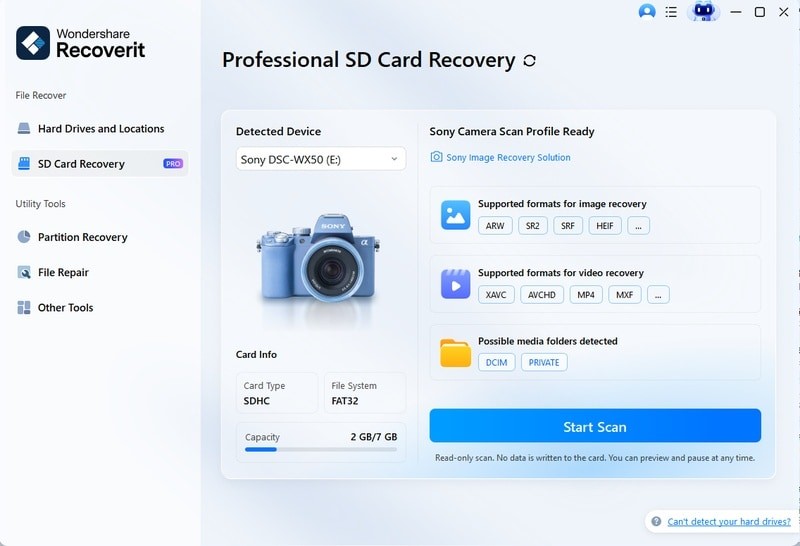
Wondershare Recoverit is built for formatted-card recovery. Its AI-boosted device recognition identifies the camera brand and card type, and prepares the optimal recovery approach for that device.
1. Launch Recoverit and choose SD Card Recovery.
2. Connect the card and select it.
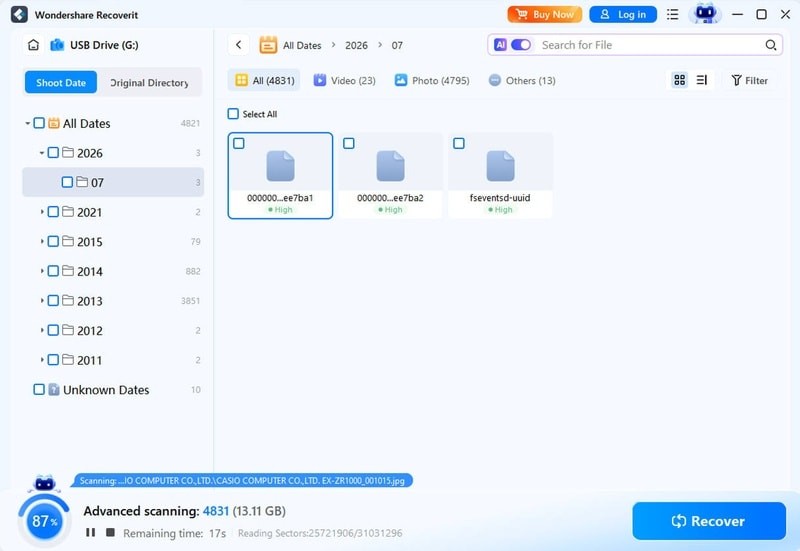
3. Click Scan. The AI-accelerated scan rebuilds device-specific file patterns from the raw data, finding photos the formatted index no longer lists.
Formatted card connected and detected
Scanning the formatted card
Step 3 – Preview and Recover
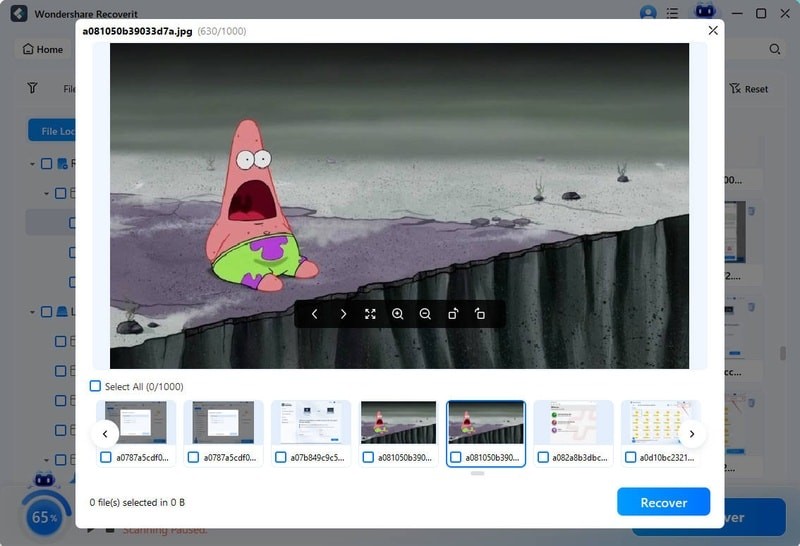
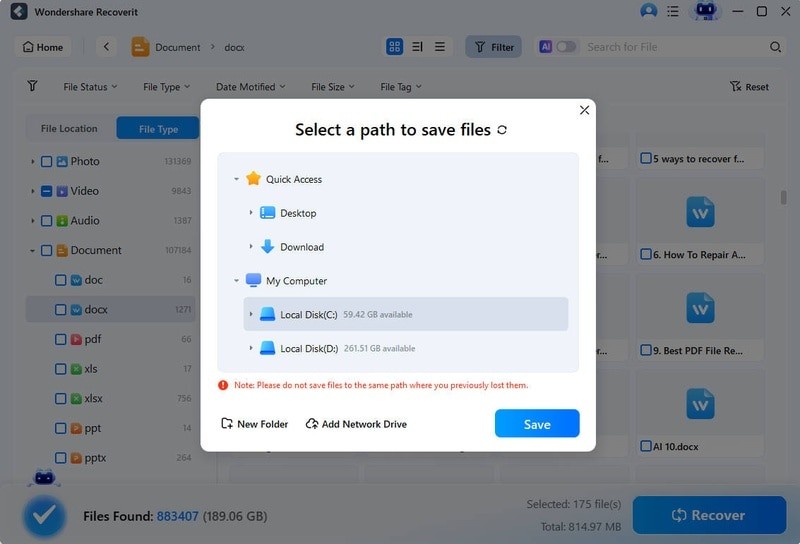
When the scan finishes, preview your photos. Recoverit’s AI-powered preview displays images accurately – including RAW and HEVC formats – so you can confirm quality before saving. Select the photos you want and click Recover, saving them to a different drive than the card.
Previewing photos from the formatted card
Saving recovered photos safely
Why Camera-Specific Recovery Matters
Different camera brands organize card data differently. A Canon card, a Sony card, and a GoPro card each use slightly different file structures. Recovery software with AI device recognition adapts to these differences, which is why the same formatted card can recover fully with one tool and partially with another. Recoverit applies this device-aware scanning to cameras from Sony, Canon, Nikon, and others, and the SD card recovery covers the card itself.
What If Only Some Photos Come Back?
If the first scan does not find everything, run a deep scan on the same card. Deep scans read the raw sectors and can find photos stored in fragmented areas or deleted longer ago. It takes more time, but it is the step that recovers the rest of your shoot.
If individual photos come back damaged, do not delete them. Recoverit auto-repairs corrupt photos during preview, and the repair module handles common formats – a “broken” photo after recovery is often one repair away from usable.
Mistakes That Cost Photos After a Format
- Shooting on the card again. The #1 way formatted photos become unrecoverable.
- Reformatting “to try again.” Every format rewrites the index and risks more overwriting.
- Recovering to the same card. Save recovered photos to a different drive.
- Waiting too long. The longer the card sits unused, the safer your photos are – but every day of use elsewhere lowers odds.
Preventing Format Mistakes
- Confirm before formatting. Read the prompt; cameras rarely need formatting.
- Back up before you reformat. Make it a rule: no format without a verified backup.
- Use two-slot cameras. Mirroring to a second card gives you a fallback.
- Label cards. Know which cards hold unbacked-up work.
- Keep a “shoot then format” routine. Format cards at the start of a shoot, never mid-workflow.
Conclusion
A formatted camera memory card is not the end of your photos. Quick formatting clears the index but leaves the data on the card, and the right scan brings it back. Remove the card, stop shooting, and run a device-aware recovery. With Wondershare Recoverit, you can recover photos after formatting your camera card in three steps – connect, scan, preview – and save your shoot to safety. The photos you thought were wiped are still there, and they are worth the recovery.