
ProxyLine has been operating since 2018, but until recently I hadn’t taken the time to properly test the service. That changed when my team and I decided to run a full evaluation. Alex focused on cybersecurity aspects, Monika analyzed marketing-related use cases, and Ricky handled the performance testing.
After nearly a month of using the platform in real scenarios, we had enough data to form a solid opinion about what ProxyLine actually offers. At first, I assumed it was just another small proxy provider competing in an already crowded market. But that impression changed pretty quickly once we started testing it. The overall performance and reliability were noticeably better than I expected for a service in this price range.
First Impressions
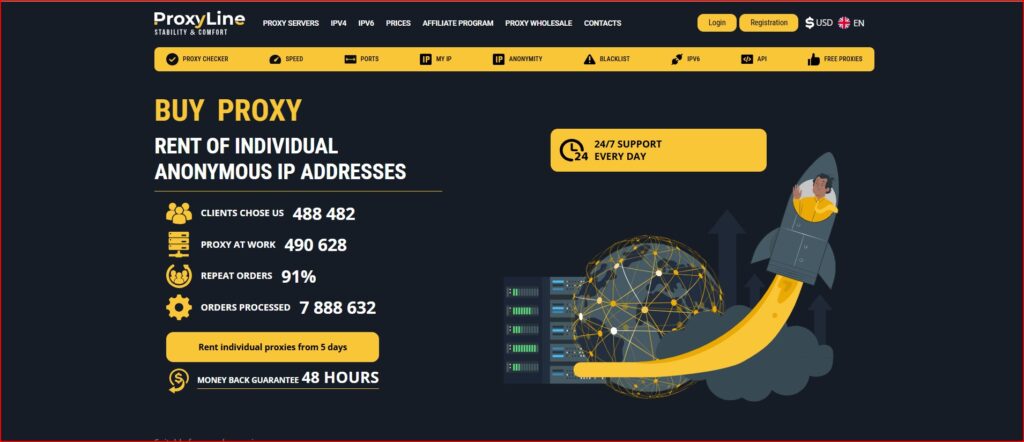
ProxyLine provides both shared and private (referred to as “individual”) IPv4 and IPv6 proxies. All proxy types support HTTP, HTTPS, and SOCKS5 protocols, which makes them compatible with most tools. If you’re new to proxies, this guide on proxy servers explains how they work and why people use them.
What surprised me most was the scale of their network. According to the platform, there are more than 7,500 networks and subnetworks across over 100 countries. For a provider with relatively low pricing, that level of geographic coverage is impressive.
You can obtain IP addresses from common locations like the United States, Russia, and many European countries, as well as regions in Latin America and Africa. For projects that require frequent location switching, this flexibility can be very useful.
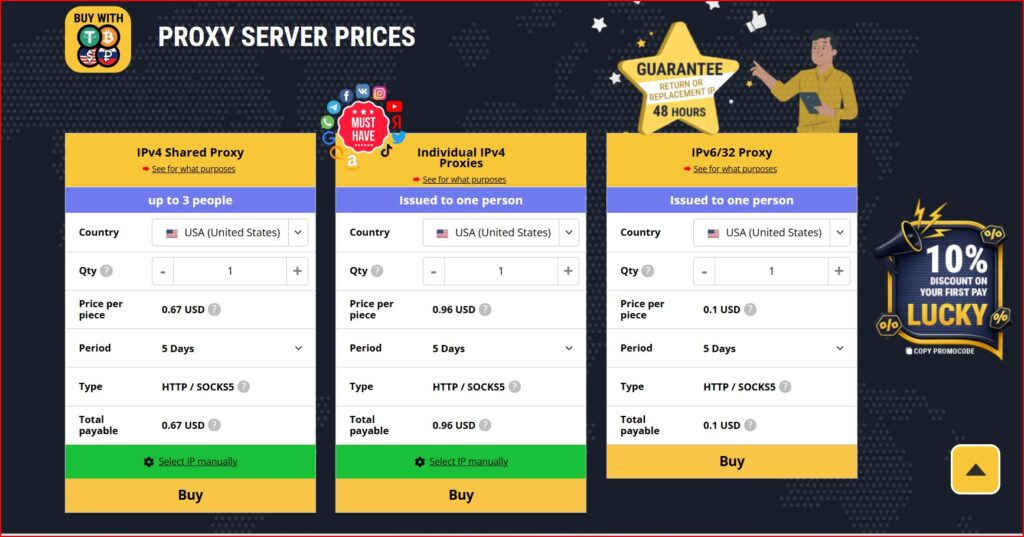
Pricing is another area where ProxyLine immediately stands out. Entry-level packages are extremely affordable:
- Shared IPv4 proxies start at $0.67 for five days
- Individual IPv4 proxies begin at $0.96 for five days
- IPv6 proxies can cost as little as $0.10 for five days
For short campaigns or testing purposes, those prices make the barrier to entry very low.
Users can purchase a single IP address or scale up to thousands if needed. Subscription periods range from five days to a full year, and there’s also a built-in calculator that shows the total price before confirming a purchase.
What ProxyLine Works Best For
During our tests, ProxyLine performed well across several common proxy use cases:
- Social media management
- Account farming
- SEO monitoring
- Data scraping and parsing
- Marketing automation
- Accessing geo-restricted content
- Online gaming
Because the service supports multiple protocols and flexible packages, it works well for both small tasks and larger automation setups. In some cases, users also combine proxies with mobile proxies to improve anonymity and reduce detection.
What I Liked
There are several aspects of ProxyLine that stood out during testing.
Flexible pricing
You’re not forced into long-term commitments. Short-term plans allow you to test the service without investing too much upfront.
Useful free tools
Many providers include basic tools, but ProxyLine’s tools are actually practical. The proxy checker, IP checker, speed test, and port checker can quickly help diagnose connection issues.
IP binding
This feature allows you to bind proxies to a specific device or IP address. It improves security and helps maintain stable sessions, which is especially important when managing multiple accounts.
Instant activation
The system is fully automated. As soon as payment is completed, proxies become available immediately. There’s no manual approval or waiting time.
Manual IP selection
In some cases, you can manually select IP addresses or subnets. While availability can vary, this option gives users more control over their proxy setup.
Overall reliability was also solid. ProxyLine claims to have more than 300,000 users, and based on our uptime tests, the infrastructure appears stable enough to support a large user base.
Where It Could Improve
While the service performs well overall, there are a few areas where it could be better.
No free trial for premium proxies
ProxyLine offers free proxies, but they don’t really represent the performance of the paid options. A limited free trial for premium proxies would help potential users evaluate the service more accurately.
No loyalty rewards
Regular customers don’t currently receive loyalty discounts or incentives. Adding this could encourage long-term users to stay with the platform.
No automatic IP rotation
One of the biggest limitations is the lack of automatic rotating proxies. IP rotation can be done manually through the dashboard, but automated rotation would be extremely helpful for heavy scraping or automation tasks.
Free Proxies and Built-In Tools
Before purchasing paid proxies, I tested the free ones available on the platform. Considering they’re free, the performance was surprisingly acceptable. Speeds were usable, and the geo-location data appeared fairly accurate.
However, since these proxies are shared with many users, traffic can sometimes slow them down. You also need to select the protocol type manually—HTTPS, SOCKS4, or SOCKS5—for each proxy.
The platform also includes several free tools:
- Proxy Checker – verifies proxy location, speed, and anonymity level
- IP Checker – displays your current IP address and connection details
- Online Calculator – estimates the cost of proxy packages
- Port Checker and Speed Test – helps identify connection or performance issues
For beginners, these tools are genuinely helpful when learning how proxies work.
Dashboard and User Experience
The ProxyLine dashboard is simple and easy to navigate.
From the main panel, users can:
- Add funds to their account
- Manage active proxies
- View expired orders
- Access API keys
- Place bulk orders
- Check payment history
Switching IP addresses is quick and straightforward. I particularly liked the ability to manually change IPs before starting a session.
Overall, the interface is clean and logical. Even users who are new to proxy services should be able to find their way around without much difficulty.