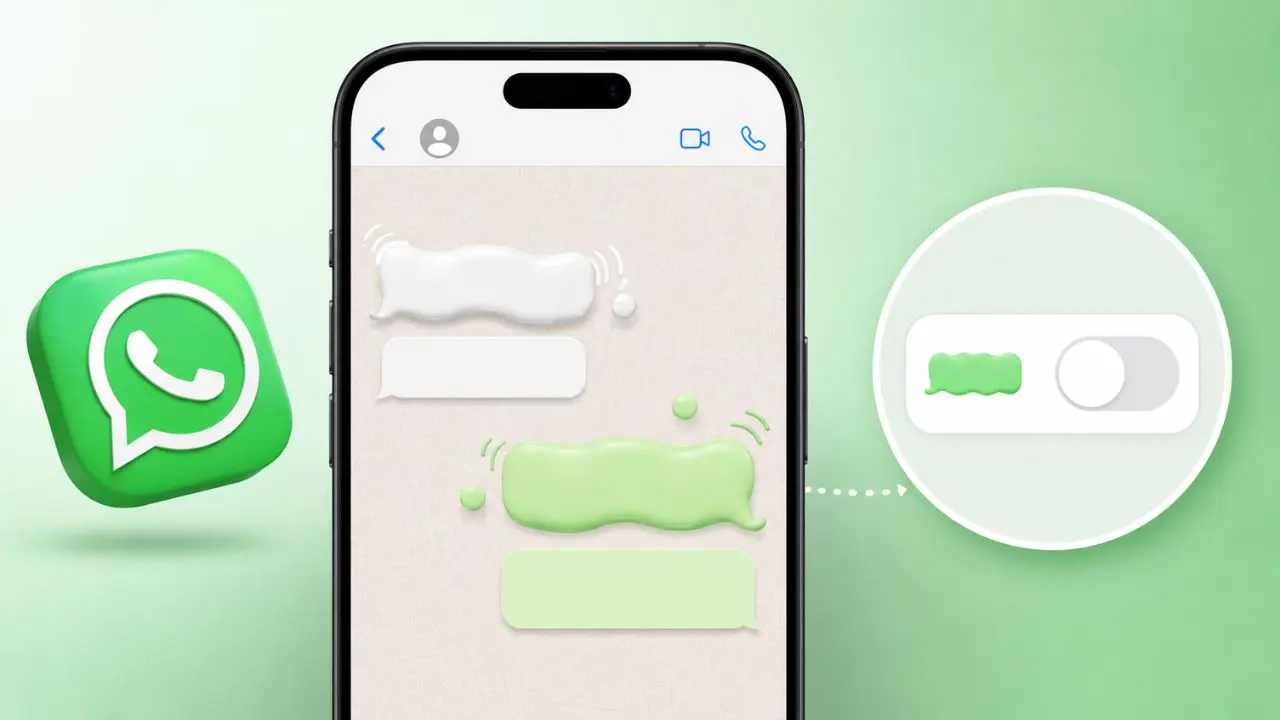
If you use WhatsApp on an iPhone, you may soon notice something a little different when you send or receive a message. The message bubble will no longer just appear out of nowhere. Instead, it will gently fade in and grow slightly as it lands in the chat. It is a small touch, but it makes the whole experience feel a lot more polished.
This feature is currently being tested in the WhatsApp beta for iOS, version 26.24.10.70, which is available through Apple’s TestFlight program. Not everyone will see it right away, but it is rolling out to more users over the coming weeks.
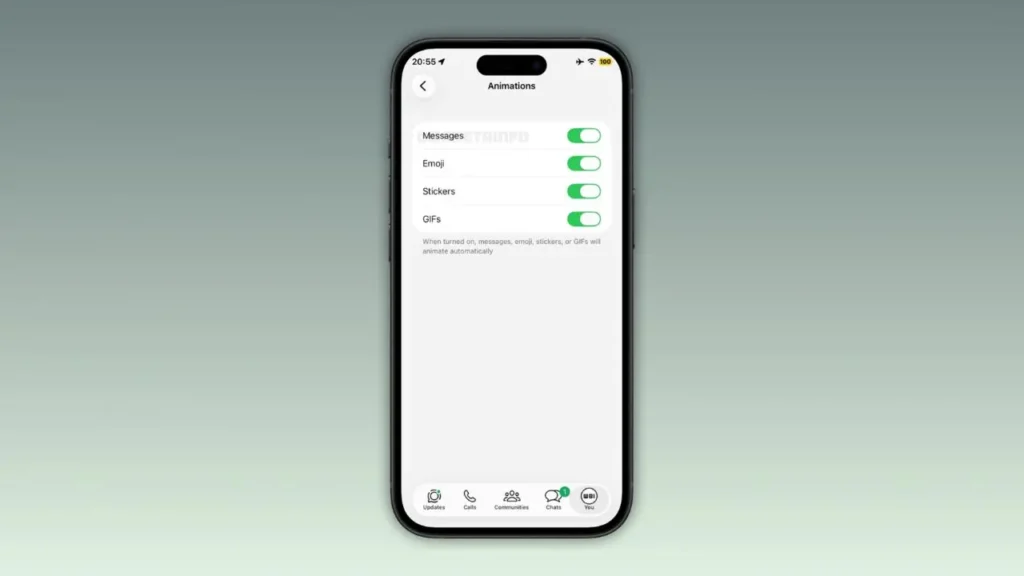
Table of Contents
So What Actually Changed?
In simple terms, WhatsApp is adding a smooth animation to messages. When you send a text or receive one, the bubble now fades in while scaling up slightly, then settles into place in the conversation. It feels natural. It feels intentional. And honestly, it is the kind of small detail that makes an app feel more alive.
Before this update, messages on iOS just popped into the chat instantly. There was no effect at all. That was not always the case, though. WhatsApp had actually introduced message animations on iOS before, but then quietly removed them. The reason, as far as we can tell, had a lot to do with user control — or rather, the lack of it.
Why Did WhatsApp Remove Animations in the First Place?
- WhatsApp added message animations to iOS earlier, but users had no way to turn them off
- Some users are sensitive to moving visuals and motion effects on screen
- Without a toggle, the only solution was to remove the feature entirely
- Now, WhatsApp has brought it back with a proper on/off setting
That decision makes sense. Motion effects can be uncomfortable for people who experience sensitivity to visual movement. So rather than leave those users stuck with an animation they could not disable, WhatsApp chose to remove it entirely. Now, with a dedicated toggle finally in place, the feature is making a comeback in a much better form.
Where Can You Find the Setting?
This is actually one of the more thoughtful parts of this update. For the first time on iOS, users can manage message animations directly inside WhatsApp settings. Here is where to find it:
Go to WhatsApp Settings, then tap Chats, then look for Animations.
In that section, you will already find toggles for emoji animations, stickers, and GIFs. WhatsApp is now adding a dedicated toggle for message animations right alongside those. If you find the effect distracting, you can simply switch it off. If you enjoy it, you can leave it on. The choice is yours.
What About Android Users?
Android users have been through a similar journey. WhatsApp rolled out message animations to Android beta users just about a week before this iOS update. So in that sense, both platforms are now moving in the same direction at roughly the same time.
Furthermore, the setting location is the same on both platforms. Whether you use an iPhone, Android, or even use WhatsApp on iPad, you will find the animation toggle under Settings, then Chats, then Animations. That consistency is genuinely useful for people who switch between devices. You do not have to go hunting through different menus depending on which phone you are using.
How Does This Make WhatsApp Feel Different?
It is easy to overlook small visual details like this. But think about how often you send messages in a day. Every single one of those will now have a subtle, smooth animation attached to it. Over time, those little moments add up.
The new animation replaces the old one entirely rather than being offered as an optional style alongside it. So if you were used to the previous effect, you will notice the difference. The new version is described as a fade-in combined with a gentle scale-up, which means the bubble appears to grow slightly as it arrives. It is subtle enough to feel natural, but noticeable enough that you will actually see it.
Moreover, this kind of visual feedback makes conversations feel more dynamic. It gives the impression that something is actually happening when a message arrives, rather than text just snapping onto the screen without ceremony.
Is This Available to Everyone Right Now?
Not yet. This is still in the beta phase. To access it, you need to be enrolled in the WhatsApp beta on iOS through TestFlight, and even then, WhatsApp is testing it with a limited group of users. So it is possible that you have already installed the right version and still do not see the animation. That is completely normal.
WhatsApp has not announced a firm date yet. While you wait, it is worth knowing about a recent WhatsApp malware attack so you stay safe while using the app. However, based on how these rollouts typically work, it is reasonable to expect it to land for everyone within the next few weeks.
A Few Things Worth Knowing
- The feature is currently limited to WhatsApp beta testers on iOS
- You need version 26.24.10.70 or compatible to see it
- The animation toggle sits alongside emoji, sticker, and GIF controls
- Both iOS and Android now use the same setting path for animations
- If you do not see it yet after updating, it will likely appear soon
Final Thoughts
WhatsApp bringing back message animations on iOS — this time with a toggle — is a good example of listening to feedback and doing things the right way. The original removal was understandable. Forcing any visual effect on users, especially a motion-based one, without giving them control is not great design. But now that the setting exists, the feature makes a lot more sense to ship.
It is a small update, much like the recent addition of member tags for group chats, but these little changes add up over time. However, it adds a layer of polish to an app that billions of people use every single day. And for those who prefer a cleaner, motion-free experience, the off switch is right there waiting for you.
Keep an eye on your TestFlight updates if you are in the beta program. Otherwise, the stable release should be arriving before long.