
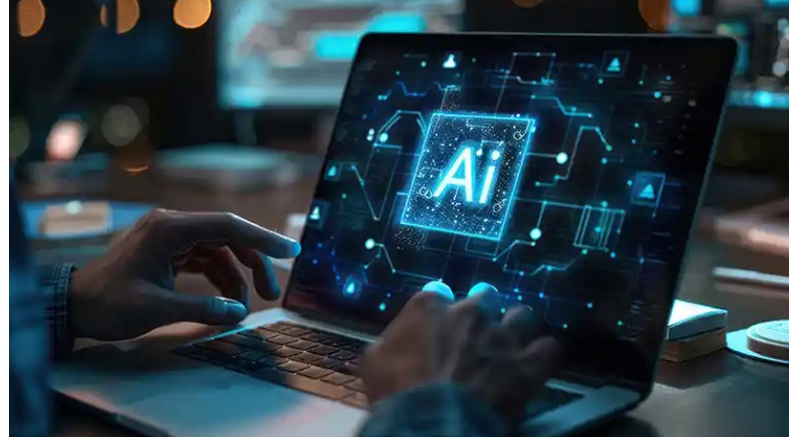
Your computer takes forever to adjust settings when you need them most. You sit there clicking through menus while your system lags behind your needs. A smart AI-powered laptop changes this entire experience. These smart machines are able to figure out your patterns and react even before you have completed your thoughts about what you want. They are doing it by analyzing up to a thousand different data points every second in order to self-adjust their performance accordingly.
As computing demands evolve, PCs are no longer secondary devices behind smartphones. In fact, PCs have become a necessity again beyond smartphones, especially as AI-driven performance, multitasking, and automation redefine how people work and create. Smart AI-powered laptops represent the next stage of this shift, removing manual configuration entirely. Your productivity shoots up because the system anticipates your next move. The technology recognizes patterns in your behavior and adapts instantly.
Let me show you seven specific situations where AI-powered computers leave manual settings in the dust.
1. Power Management Gets Smarter With AI Learning
Your laptop battery dies at the worst possible moment. You forgot to switch to power-saving mode before an important presentation. A smart AI-powered laptop eliminates this problem entirely by monitoring system behavior in real time and adjusting performance instantly to keep everything running smoothly.
The system tracks which applications drain power fastest. It notices when you typically need maximum battery life. Your AI PC automatically adjusts processor speeds and screen brightness based on your schedule. The technology learns that you commute for two hours without a charger every morning.
2. Thermal Regulation Responds In Milliseconds
Your laptop turns into a hot plate during intensive tasks. Fans spin loudly while you scramble to close applications. Smart AI PCs detect temperature changes before they become problems.
Advanced sensors feed real-time data to the AI processor. The system identifies which components generate the most heat. Cooling adjustments happen in milliseconds rather than minutes.
- CPU throttling activates precisely when needed.
- Fan speeds increase gradually instead of suddenly.
- Resource allocation shifts to cooler components.
- Background tasks pause during peak thermal loads.
Manual thermal management relies on preset thresholds. These fixed points cannot adapt to different environmental conditions. Your room temperature affects how hard your computer works. AI accounts for ambient temperature and adjusts cooling strategies automatically.
No surprises, why the market of AI PCs is continuously rising. As per a report, the global market of AI-driven PCs is expected to surpass $281.67 billion by 2030.
3. Network Optimization Happens Without Your Input
Slow internet frustrates everyone who works online. You restart your router and check cables manually. Smart AI PCs optimize network connections automatically without troubleshooting steps.
The system keeps an eye on the strength of signals on all networks that are available. Depending on the current bandwidth requirements, it toggles between WiFi and Ethernet. As a result, the AI gives preference to real-time communication and, thus, video calls remain stable even while background downloads are in progress.
Bandwidth Allocation Matches Your Current Tasks
Streaming services buffer while you try to join virtual meetings. Downloads consume all available bandwidth and slow everything else. AI networking solves this by learning which applications matter most to you.
- Your computer recognizes work hours versus entertainment time.
- Priority shifts to productivity tools during business hours.
- Streaming and gaming get maximum bandwidth in the evening.
- The transition happens seamlessly without manual configuration.
4. Display Settings Adapt To Lighting Conditions
Your eyes strain from screen brightness that never quite feels right. You manually adjust settings multiple times per day. Smart AI PCs use advanced sensors to match display output with surrounding light.
The technology goes beyond simple auto-brightness features. It analyzes color temperature and adjusts white balance accordingly. Your screen looks natural whether you work under fluorescent office lights or warm home lamps.
- Blue light reduction activates automatically in evening hours.
- Contrast increases in bright outdoor environments.
- Color accuracy improves for photo and video editing.
- Text becomes easier to read in all conditions.
5. Resource Allocation Shifts Based On Application Priority
Your computer freezes when too many programs run simultaneously. Task Manager becomes your constant companion. Smart AI PCs distribute system resources intelligently without manual intervention.
The technology recognizes foreground versus background applications. Active programs receive priority access to processor cores and memory. Background tasks use leftover resources without impacting your current work.
Memory management improves significantly with AI oversight. The system predicts which applications you will open next. Frequently used programs stay ready in RAM for instant launching. Unused applications close gracefully when resources run low.
- This intelligent resource handling is especially valuable for gamers who demand peak performance across devices. Understanding whether having both a gaming PC and a gaming laptop is useful depends largely on how well systems manage GPU, CPU, and thermal resources. AI-powered PCs make that decision easier by optimizing performance automatically for every gaming scenario.
- Video editing receives additional processor cores.
- Browser tabs hibernate automatically when inactive.
- System updates wait for idle periods.
6. Security Responses Activate Before Threats Materialize
Due to the fact that antivirus software is not accurate in capturing malware, you take your chances on links. Smart AI PCs analyze behavior patterns to identify threats proactively.
The system monitors file activities and network connections simultaneously. Suspicious behavior triggers immediate isolation procedures. Potential threats get quarantined before they execute malicious code.
Behavioral Analysis Beats Signature-Based Detection
Traditional antivirus software relies on known threat databases. New malware variants slip through until definitions update. AI security examines how programs behave rather than matching signatures.
- Your computer recognizes when applications attempt unusual file access.
- Encryption ransomware gets stopped at the first suspicious file modification.
- Phishing attempts fail because AI analyzes website behavior beyond URL matching.
7. Audio Enhancement Responds To Your Environment
Background noise ruins video calls and recordings. You manually adjust the microphone levels and hope it works. Smart AI PCs apply real-time audio processing that adapts to changing conditions.
The technology uses multiple microphones to create detailed sound maps. It identifies your voice and separates it from ambient noise. Traffic sounds and keyboard clicks disappear from your calls automatically.
- Echo cancellation adapts to room acoustics.
- Background music fades during conversations.
- Voice clarity improves in noisy environments.
- Audio output balances for different content types.
Manual audio configuration requires expensive equipment and technical expertise. Most people settle for mediocre sound quality. AI brings professional-grade audio processing to everyone regardless of technical knowledge.
Conclusion
A smart AI-powered laptop transforms how you interact with technology daily. These intelligent systems eliminate countless manual adjustments that waste your time and energy. Every aspect of computing becomes faster and more responsive when artificial intelligence handles optimization. Your computer learns from your behavior and anticipates needs before you express them. Performance stays consistently high regardless of changing conditions or demanding tasks.
The future of personal computing runs on intelligent adaptation rather than rigid configuration. Smart AI PCs prove that the best technology works invisibly in the background.