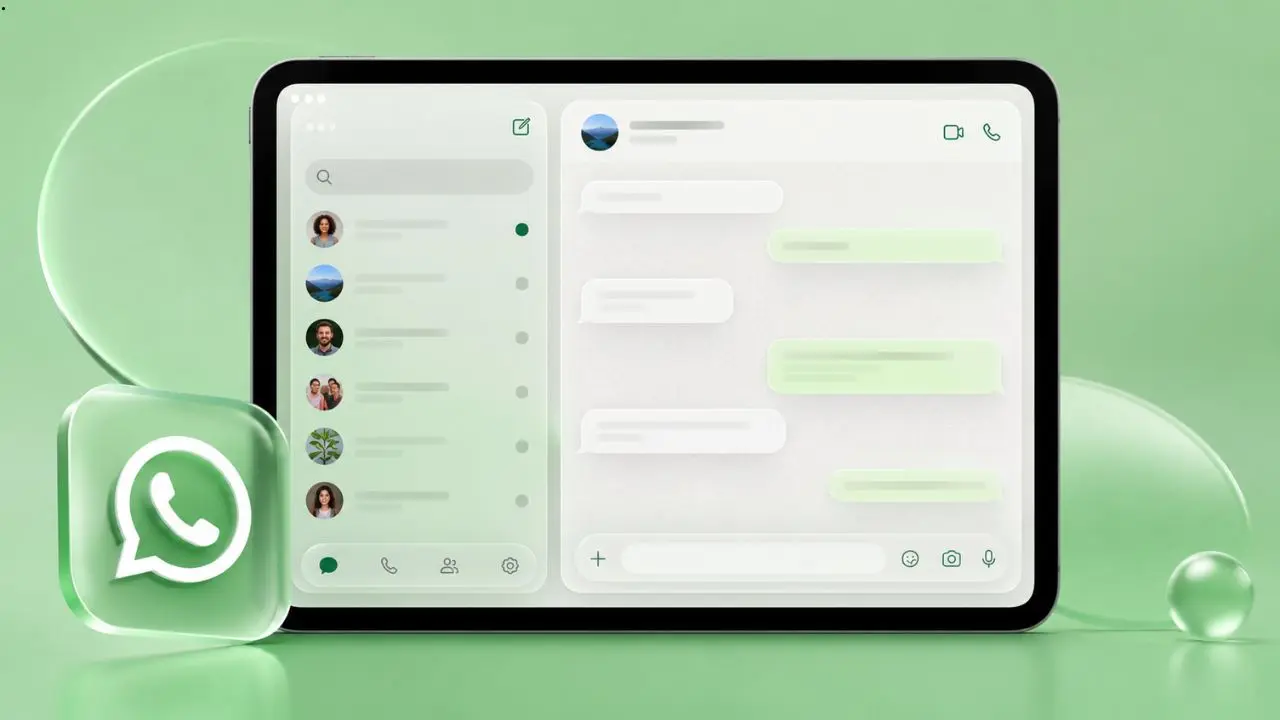
WhatsApp is updating its iPad app with a new visual style called Liquid Glass. If you use WhatsApp on an iPad running iPadOS 26, you will soon notice the app looks quite different. The interface feels lighter, cleaner, and more modern. Moreover, it now matches the look that iPhone users have already been enjoying for a while.
So, what exactly is Liquid Glass? And why does it matter for iPad users? Let’s break it down in simple terms.
Table of Contents
What Is Liquid Glass and Why Does It Look Different?
Liquid Glass is a design style that Apple introduced with iPadOS 26 and iOS 26. It uses a frosted, semi-transparent look for different parts of the screen. In other words, you can see a soft blur of whatever is behind the buttons and bars. It gives the interface a glassy, floating feel instead of the flat, solid blocks of color we are used to.
WhatsApp has been rolling this design out slowly. First, it came to iPhone. Now, it is finally reaching the iPad version of the app. The update brings several visible changes:
- The tab bar at the bottom now floats above the screen with a translucent look
- The navigation bar at the top is now see-through and reacts when you scroll
- Buttons across the app now have the same frosted glass style
- The chat bar floats as a semi-transparent element and no longer shows text labels under icons
These changes together make the iPad app look much more polished. Furthermore, they bring it in line with the iPhone experience, so the app finally feels consistent across Apple devices.
Why Did the iPad App Take Longer to Get This Update?
This is a fair question. WhatsApp for iPhone, iPad, and Mac actually share the same base code. If you are new to this, you can check out how to use WhatsApp on iPad and PC to get started. However, WhatsApp still releases updates for each platform separately. As a result, the iPad app often gets new features a bit later than iPhone.
WhatsApp spent time refining the Liquid Glass design on iPhone first. Once the team felt it was working well there, they started bringing the same changes to iPad. This kind of careful rollout makes sense because the iPad has a larger screen, and design elements need to be adjusted so they look right on a bigger display.
The good news is that more improvements are likely on the way. Specifically, WhatsApp is also working on a redesigned sidebar and a dedicated section for locked chats on iPad. So this Liquid Glass update is just the beginning.
What Else Is Changing Inside the Chat Screen?
Beyond the iPad update, WhatsApp has also updated the chat screen itself on iPhone with the same Liquid Glass approach. Here is what changed:
- The chat input bar now floats at the bottom instead of sitting as a fixed bar
- The navigation bar at the top of the chat is now transparent
- A soft fade effect sits behind the top bar, so you can faintly see messages and wallpaper showing through underneath
These small details add up. The chat screen now feels less heavy and more open, and it pairs well with features like animated message bubbles that WhatsApp recently brought to iPhone. It also catches up with the rest of the app, which had already received the Liquid Glass update in earlier stages.
Other Big News From WhatsApp This Week
While the Liquid Glass update is getting a lot of attention, several other things happened with WhatsApp recently that are worth knowing about.
WhatsApp’s head is stepping down. Will Cathcart, who led WhatsApp for nearly seven years, announced he is leaving his role. He is not leaving Meta entirely, though. Instead, he is moving into a new position focused on building products from scratch. Kunal Shah, the founder of the Indian fintech company CRED, will take over as the next leader of WhatsApp. As part of this transition, Meta is also making a significant investment in CRED, reportedly taking a minority stake worth around 900 million dollars.
A trick to check if someone blocked you. WhatsApp has a built-in way to figure out if a contact has blocked you. You just open the chat with that person, tap their name, then tap “Encryption.” WhatsApp will try to verify the encryption automatically. If it cannot complete the process, there is a good chance that person has blocked you. It is not a perfect method, but it is a useful one.
Searching inside channels is now possible on iPhone. WhatsApp added a search feature for channel updates on iOS. This is helpful because channels can build up hundreds of updates over time. Instead of scrolling back through all of them, you can now type a keyword and find what you are looking for quickly.
WhatsApp Is Also Getting Stronger on Security
In addition to the visual updates, WhatsApp has been working hard on security features. Two new protections stand out.
First, WhatsApp now shows a security warning during the device-linking process. If someone tries to link a new device to your account and something looks off, WhatsApp will flag it as suspicious. The warning also shows the rough location of the device trying to connect. You can then cancel the attempt or approve it if you recognize it.
Second, WhatsApp added an earlier warning system when you try to message an unknown number. Before you even open the chat, WhatsApp checks the number for red flags. If it finds something suspicious, it shows a screen with details about the number, including where it is registered, whether it is saved in your contacts, and whether you share any groups with that person. You can then decide to continue or cancel before anything happens. This is a smarter way to protect users because the app steps in before the conversation even starts.
A Small but Useful Feature: Mentions in Text Status Updates
WhatsApp also rolled out a new feature on Android that lets you mention contacts in text status updates — building on its recent improvements to WhatsApp group chats. When you mention someone, they get a private notification. However, the mention itself does not appear as visible text in the status. So other people who view your status will not know who you tagged. It is a quiet but thoughtful addition.
What This All Means for WhatsApp Users
WhatsApp is clearly in a busy period. Between the Liquid Glass rollout, leadership changes, new security features, and small quality-of-life improvements, there is a lot happening at once — including the upcoming Meta AI side chat that WhatsApp is quietly building out.
For iPad users especially, the Liquid Glass update is a welcome change. The app has looked a bit behind compared to iPhone for some time. Now, it is finally getting the same modern feel. Furthermore, with more updates reportedly on the way, including sidebar changes and locked chat improvements, the iPad experience is only going to get better.
If you have not updated your WhatsApp beta on iPad yet, it is worth doing so soon. The new design is not just a visual refresh. It makes the app feel more natural and easier to use on a tablet screen.
WhatsApp is also showing that it takes security seriously, which is reassuring. The new warning systems are practical and well thought out. They do not get in the way for normal users, but they add a meaningful layer of protection against scams and account takeovers.
Overall, this is a strong week for WhatsApp. The app is growing in a steady and thoughtful direction, and users on every Apple device are starting to feel that progress.