
The first wave of AI video tools taught users to write better prompts. The next wave is asking a different question: what if users could guide video generation with the assets they already have?
That shift matters because video is not built from words alone. A good clip depends on visual identity, camera movement, rhythm, audio and timing. A written prompt can describe those elements, but it often cannot carry enough detail by itself.
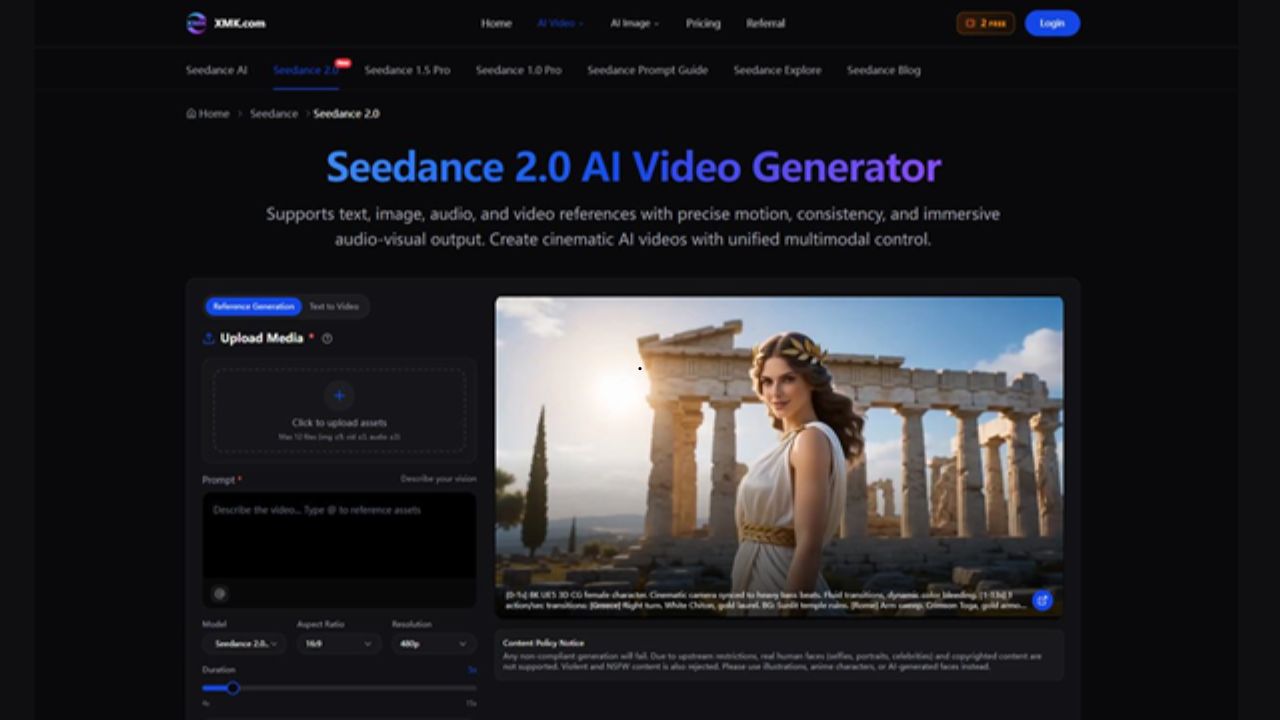
This is where Seedance 2.0 reflects a broader change in generative video. The tool supports text, image, video and audio references, allowing users to guide short AI videos with multiple forms of creative input.
The Limits of Prompt-Only Video
Prompt writing has become a skill of its own. Users learn to describe lighting, camera movement, subject placement, atmosphere and style. That works well up to a point.
The problem begins when the output needs to match something specific.
A product needs to look like the real product. A character style needs to stay consistent. A social clip may need to follow the rhythm of an audio track. A camera move may need to resemble an existing reference.
Anyone who has tested AI video tools has probably seen the gap: the clip looks impressive, but something important feels slightly off.
Asset-Directed Creation Feels More Natural
In normal creative work, people rarely brief a project with text alone. They share moodboards, product photos, reference videos, rough cuts, music tracks and examples of what they do not want.
AI video tools are beginning to follow that pattern.
Seedance 2.0 supports up to 12 uploaded assets, including images, videos and audio files. This allows users to bring existing materials into the generation process instead of relying only on a long written prompt.
With Seedance 2.0 AI Video Generator, an image can guide visual accuracy, a video can guide motion and audio can help shape pacing. The prompt still matters, but it becomes part of a larger brief.
Why This Changes the Workflow
For creators and teams, the main benefit is not simply faster output. It is better early direction.
A fashion brand can test whether a campaign image works as a moving clip. A product team can turn a still shot into a short demo concept. A creator can use a reference video to explore a camera move before filming. A social team can see whether a clip feels right with a specific audio mood.
These drafts are not always final assets. They are decision tools.
That distinction is important. AI video becomes more useful when it helps people decide what to make next, not only when it produces something to publish immediately.
Audio Is Becoming Part of the Interface
Video generation is often discussed visually, but sound can define the whole experience.
A launch teaser with the wrong pacing feels flat. A product reveal with mismatched audio feels unfinished. A tutorial intro may need a calmer rhythm than a social ad.
Seedance 2.0 highlights audio-video synchronization and immersive audio-visual output. That makes audio part of the creative setup rather than something added after the fact.
This is a subtle interface change. Instead of generating a silent clip and fixing it later, users can think about motion and sound together from the start.
Refinement Matters as Much as Generation
One reason AI video can frustrate users is that the first output may be close but not quite right. A clip may need a longer ending, a different transition or a small adjustment in one section.
Seedance 2.0 includes options such as video extension, merging multiple videos, replacing characters and refining small segments without full regeneration.
That matters because real creative work is iterative. Users do not only need generation. They need ways to adjust, compare and improve.
The more AI video tools support revision, the more they begin to resemble practical production software rather than one-shot novelty engines.
What Users Should Watch For
Asset-directed generation is promising, but it still needs careful review. A generated video should be checked for product accuracy, brand fit, audio timing, rights and platform suitability.
Seedance 2.0 includes a content policy notice covering unsupported real human faces, copyrighted content, violent content and NSFW material. Those limits matter, especially when generated clips are used for public-facing content.
The strongest workflow is still human-led: choose the right references, write a clear prompt, generate a short draft, then review the result with a practical eye.
A Simple Way to Try It
Start with one visual problem. Maybe a product image needs motion, a storyboard needs a rough scene or a social post needs a stronger opening.
Use the best reference asset first. Add a clear image if identity matters, a video if motion matters or audio if rhythm matters.
Then write the prompt like a compact production note: subject, camera movement, lighting, mood, pace and ending.
This makes creating AI videos with Seedance 2.0 feel less like prompt guessing and more like guided visual drafting.
Final Thoughts
The next stage of AI video may not be defined only by better-looking clips. It may be defined by better ways to direct them.
Seedance 2.0 points toward that direction by combining text, image, video and audio references with generation and refinement tools. For creators, agencies and content teams, the shift from prompt-only creation to asset-directed creation could make AI video easier to control, review and fit into real workflows.