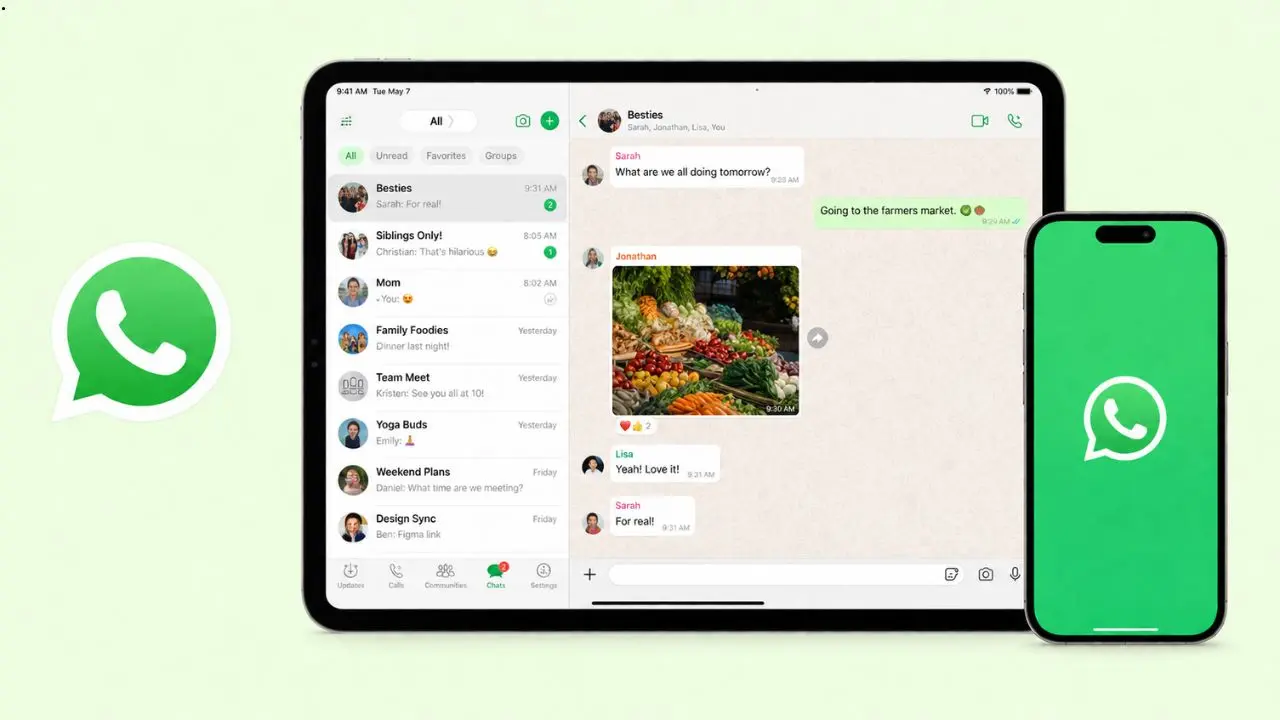
WhatsApp just rolled out a real change for iPad users. Until now, you could only link WhatsApp to your iPad as a companion device. That meant your phone always had to stay the “boss” of your account. Now, some users can skip that step. They can set up WhatsApp on iPad as their main device. It works the same way it does on a phone.
This might sound small. But if you use an iPad more than your phone, it changes a lot. It turns the iPad from a backup screen into a real home for your chats.
Table of Contents
What Was Wrong With Companion Mode
Before this update, iPad only worked as a linked device. So you had to open WhatsApp on your phone first. Then you would go to Linked Devices. After that, you would scan a QR code with the iPad. Once linked, the iPad could show your chats. However, it always leaned on your phone to stay connected. Think of it as a mirror, not a real copy.
That setup came with a few annoying limits:
- You could not share your live location from the iPad
- You could not create or view broadcast lists
- You could not use WhatsApp Flows to talk with businesses
- If your phone sat unused for 14 days, WhatsApp would log out every linked device, iPad included
So companion mode worked fine for quick checks. But it never felt like the full app. For more on your options, check out this guide on using WhatsApp on iPad.
How the New Primary Device Setup Works
With this update, you can now register your account on iPad directly. There’s no phone needed to start. The steps are simple. In fact, they look just like setting up WhatsApp on a phone:
- Pick your country code
- Enter your phone number
- Wait for the 6-digit code
- Enter the code to finish setup
Once that’s done, your iPad becomes the primary device. From there, it behaves like a phone. It’s no longer just a sidekick to your phone.
Passkeys Make It Even Faster
If you already saved a passkey for your WhatsApp account, you can skip the waiting game. Instead of typing a 6-digit code, your password manager can check who you are right away. This makes setup quicker. It’s also safer at the same time. For anyone who already uses passkeys on other apps, this part will feel familiar. Plus, it means one less code to wait for and type in.
Why This Update Actually Matters
Once iPad is your main device, all those old limits disappear. You can share your live location. You can build and check broadcast lists too. And you won’t lose access just because your phone sat idle for two weeks. That last part alone will feel like a relief to many users.
In short, the iPad app finally acts like a full version of WhatsApp. It’s no longer a stripped-down copy of the phone app. WhatsApp’s own help center has more on how this setup works.
Companion Mode Isn’t Going Anywhere
Some people like having their phone as the main hub. That’s still fine. WhatsApp isn’t removing companion mode at all. In fact, both options will sit side by side. During setup, iPad users can choose between two options: primary device or companion device. And if you already have your iPad linked as a companion, nothing changes for you. You only need to act if you actually want to switch.
When This Setup Actually Helps
Think about anyone who leans on an iPad more than a phone. A few examples:
- Someone who hands their old phone down to a kid and switches to using an iPad full time
- A person whose phone breaks and won’t be fixed for weeks
- Someone who mostly works from a tablet during the day
In each case, companion mode would eventually log the iPad out. Primary device mode fixes that problem completely. You stay signed in as long as you want. It doesn’t matter what your phone is doing in the meantime.
Tablets Are Getting More Respect
For years, most chat apps treated tablets as an afterthought. Phones came first, and tablets just tagged along. That pattern is now starting to shift. More people use tablets for work, school, and everyday browsing. So it makes sense for apps to catch up. This iPad update is one small sign of that bigger shift. WhatsApp even refreshed the app with Apple’s newer Liquid Glass design, giving iPad a fresher look too. It shows that WhatsApp sees tablets as real devices, not just extra screens.
The Rollout Is Still Slow
Not everyone will see this feature right away. It’s part of the latest WhatsApp Messenger update for iOS, though it appears to be rolling out step by step. Even after updating, some users may not see the new option yet. If that happens to you, don’t worry. Nothing is broken on your end. WhatsApp is likely still expanding access. So give it some time and check back after a future update.
Quick Answers
Can iPad now be a main WhatsApp device?
Yes. Some users can now set up WhatsApp on iPad as a primary device, without needing a phone to stay linked.
Does this replace companion mode?
No. Companion mode is still available. You can choose either option when setting up WhatsApp on iPad.
What do you gain with primary device mode?
You get live location sharing, broadcast lists, and no more automatic logout after 14 days of phone inactivity.
Do you need a phone number to set up primary mode?
Yes, WhatsApp still needs a phone number to verify you. But once setup finishes, the iPad itself becomes the main device.
Is the feature available to everyone right now?
Not yet. WhatsApp is rolling it out slowly through the latest app update, so it may take time to reach every user.
The Bottom Line
This update gives iPad users a real choice for the first time. You can still lean on your phone if that works for you. Or you can make the iPad your true home for WhatsApp, with none of the old restrictions holding it back. Either way, the app finally treats iPad as a real device, not just a mirror of your phone. Ready to try it? Grab the latest WhatsApp Messenger app and see the difference yourself.